marsilea.plotter.Labels#
- class Labels(*args, **kwargs)#
Bases:
_LabelBaseAdd text labels
- Parameters:
- labelsarray of str
- alignstr
Which side of the text to align
- paddingfloat
The buffer space between text and the adjcent plots, in points unit
- text_propsdict
A dict of array that control the text properties for each text.
- labelstr
The label of the plot
- label_loc{‘top’, ‘bottom’, ‘left’, ‘right’}
The location of the label
- label_propsdict
The label properties
- optionsdict
Pass to
matplotlib.text.Text
Examples
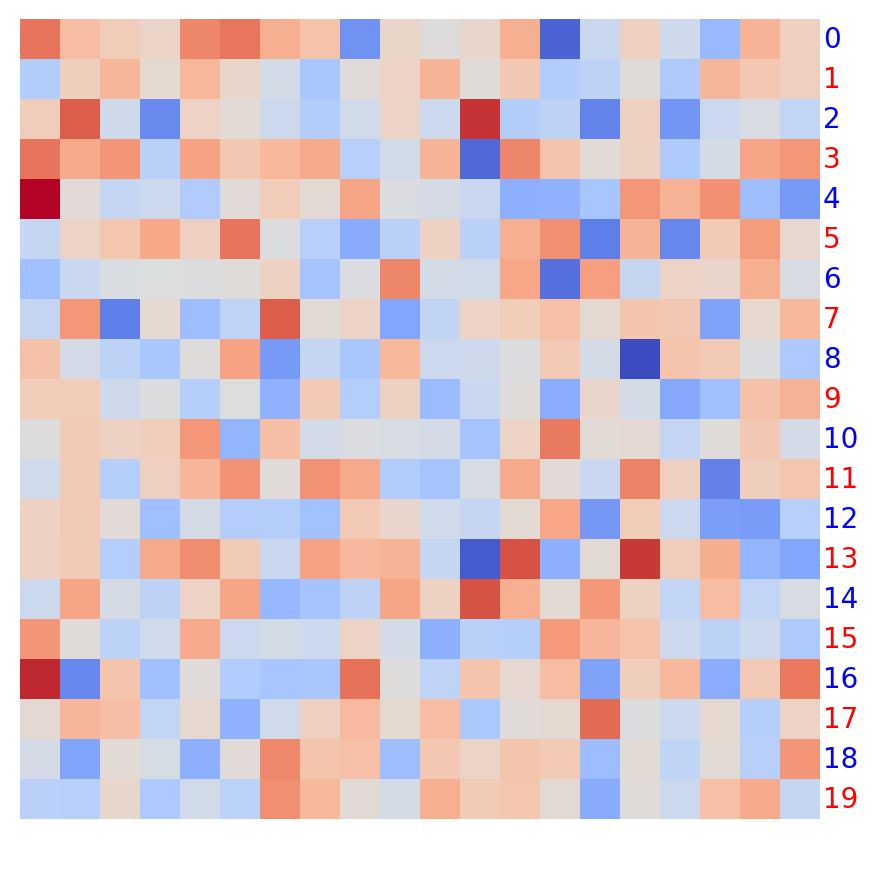
To set the text properties for each text, use
text_props>>> labels = np.arange(20) >>> colors = ["r" if labels % 2 else "b" for labels in labels]
>>> import marsilea as ma
>>> from marsilea.plotter import Labels
>>> h = ma.Heatmap(np.random.randn(20, 20))
>>> h.add_right(Labels(labels, text_props={"color": colors}))
>>> h.render()