
Note
Go to the end to download the full example code.
Les Miserables Arc Diagram#
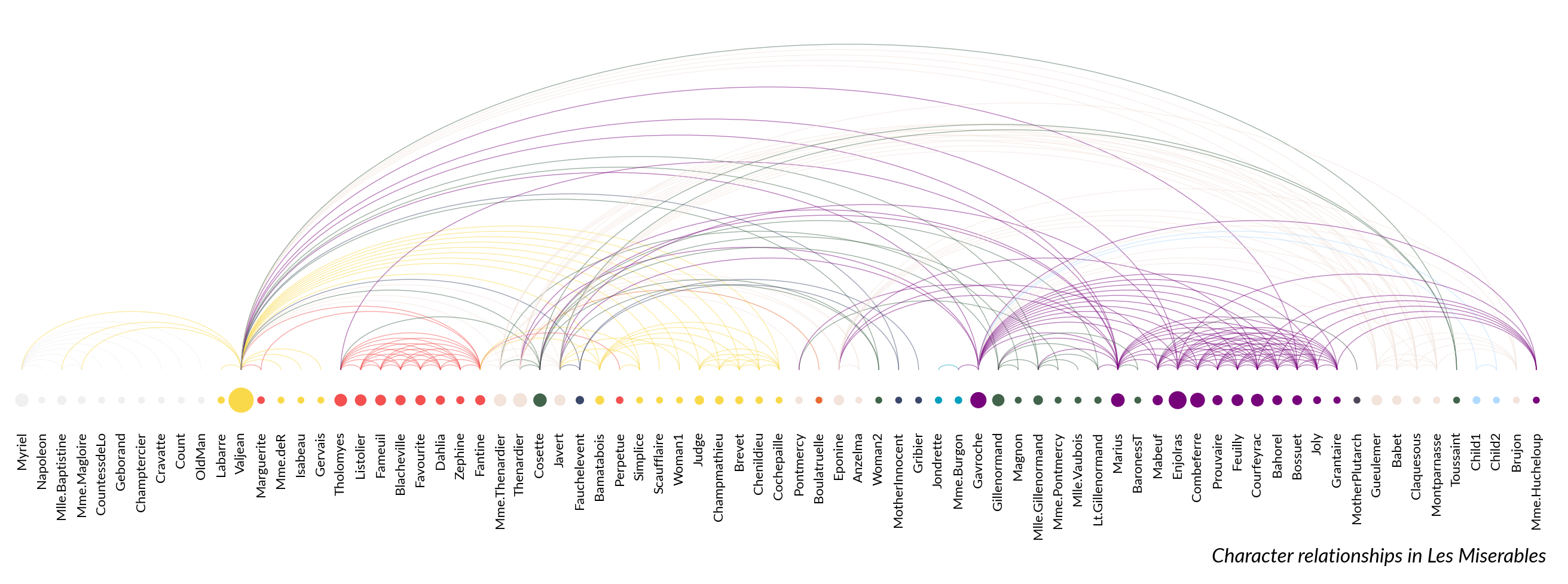
This example shows how to create an arc diagram from a network.
import marsilea as ma
import marsilea.plotter as mp
Load data#
data = ma.load_data("les_miserables")
nodes = data["nodes"]
links = data["links"]

sizes = nodes["value"].to_numpy().reshape(1, -1)
colors = nodes["group"].to_numpy().reshape(1, -1)
Create Arc Diagram#
palette = {
    0: "#3C486B",
    1: "#F0F0F0",
    2: "#F9D949",
    3: "#F45050",
    4: "#F2E3DB",
    5: "#41644A",
    6: "#E86A33",
    7: "#009FBD",
    8: "#77037B",
    9: "#4F4557",
    10: "#B0DAFF",
}

link_colors = [palette[nodes.iloc[i].group] for i in links["source"]]

height = 0.5
width = height * len(nodes) / 3

sh = ma.SizedHeatmap(
    sizes,
    colors,
    palette=palette,
    sizes=(10, 200),
    frameon=False,
    height=height,
    width=width,
)
sh.add_bottom(mp.Labels(nodes["name"], fontsize=8))
arc = mp.Arc(nodes.index, links.to_numpy(), colors=link_colors, lw=0.5, alpha=0.5)
sh.add_top(arc, size=3)
sh.add_title(
    bottom="Character relationships in Les Miserables",
    align="right",
    fontstyle="italic",
)
sh.render()
Total running time of the script: (0 minutes 2.653 seconds)